 |
 |
 |
To create a new message group, click item 'Add Group' on the main menu. Screen like figure 3.1.1 will be shown.
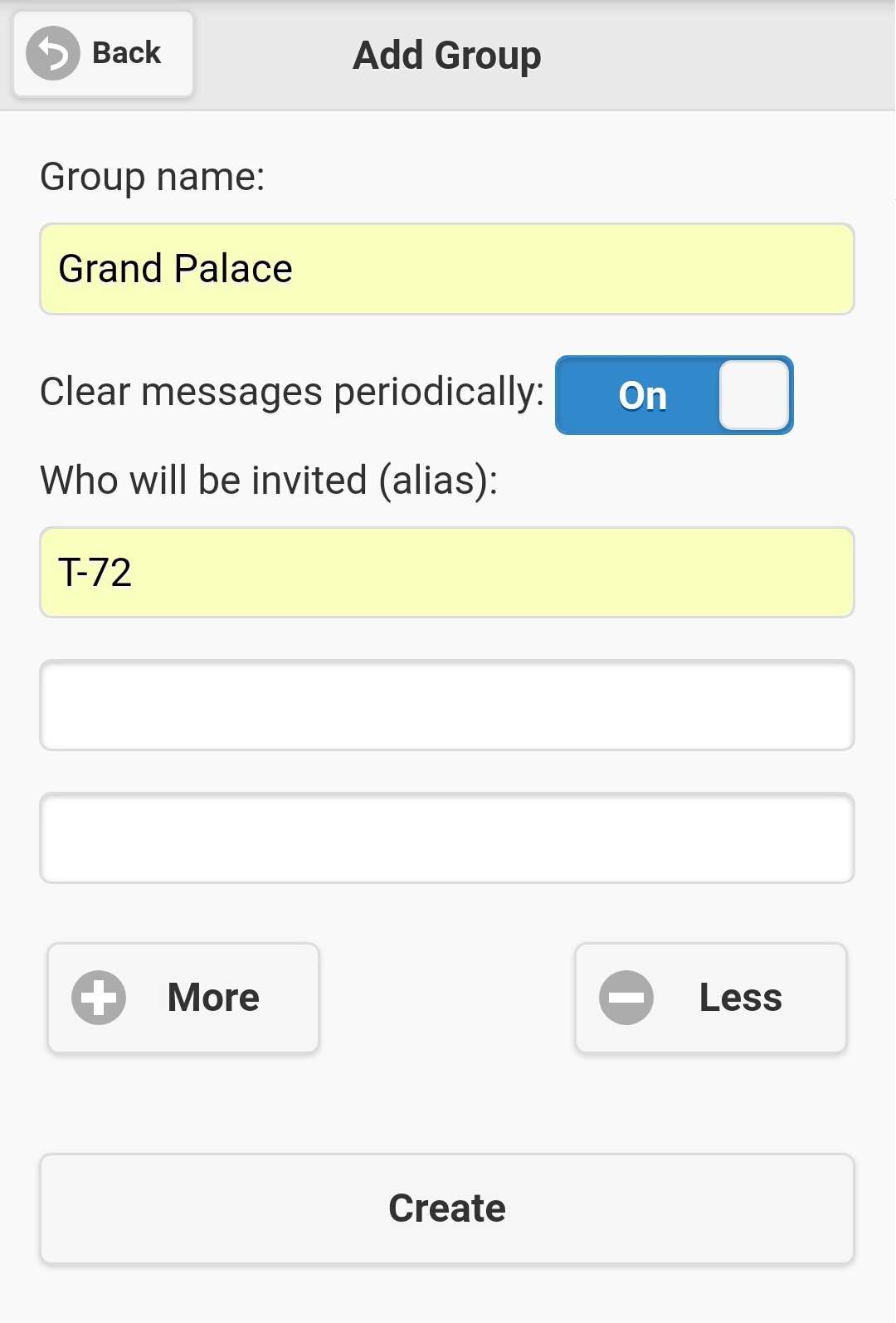
Figure 3.1.1
| - | Group name |
| - |
Decide whether group messages should be deleted automatically in a pre-defined period (in days). Default value is 'On', that means 'Yes'.
However, if you set it 'Off', all messages will be preserved forever until they are deleted manually by message senders (Note: Only message
sender can delete his/her messages). The length of pre-defined period is control by system setting 'old_msg_delete_days', please refer to section 4.6.5 for details. Please note this setting can't be changed after message group is created. Therefore, you must decide it carefully. |
| - |
Decide who will be invited to join your message group. Default number of invited member input field is 5, if you have more members to invite, click
button 'More' to add more input fields, or click 'Less' button to remove extra input fields. Please put only one invited member's alias on each input
field. Note: Due to security, you must know someone's alias to invite him/her to your message group, SMS won't list out available users for you. |
Then, click 'Create' button to create your message group.
Plese note that:
| - | Who creates a message group, then he/she is the administrator of that message group, and he/she has full power to do all group administrative tasks, include delete those message groups which are belongs to him/her. However, his/her administrative power is limited on group level only, unless he/she is system administrator otherwise. |
| - | System administrators have equivalent power of message group administrators on all message groups they belongs to. |
|
|
|