 |
 |
 |
To create a new privat message group, click item 'Add Private Group' on the main menu. Screen like figure 3.2.1 will be shown.
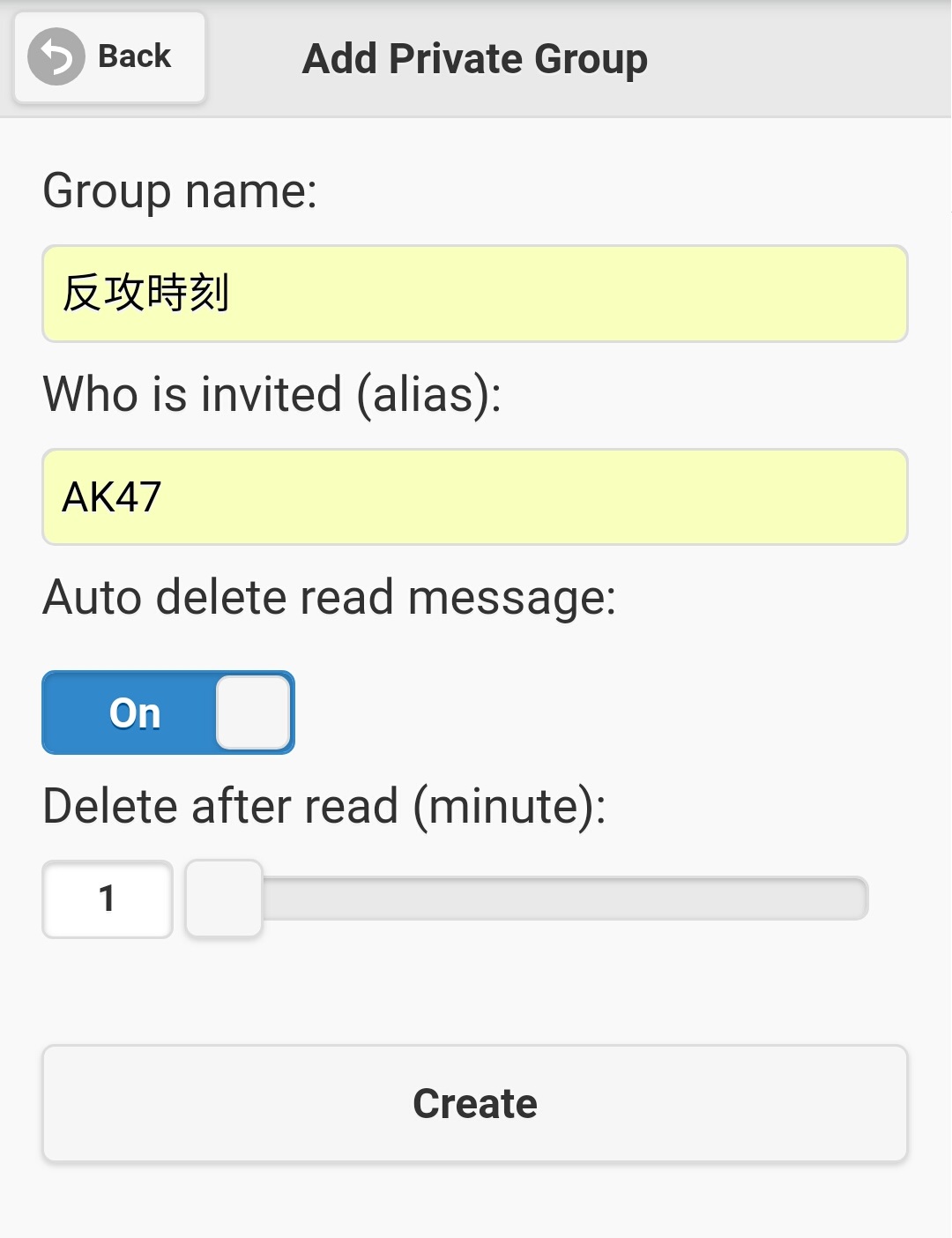
Figure 3.2.1
| - | Group name |
| - |
Decide who will be invited to join your private message group. It has one and only one input field. Note: Due to security, you must know someone's alias to invit him/her to your private message group, SMS won't list out available users for you. |
| - | Decide whether group messages should be deleted automatically in a pre-defined period (in minutes) after a message is read. Default value is 'On', that means 'Yes' and default message deletion period is 1 minute. You may change the message deletion period from 1 minute to 30 minutes. However, if you select 'Off' on 'Auto delete read message', it doesn't mean the messages on your private group could be preserved forever until you delete them manually. No, it is not. If you select 'Off', your messages deletion period will be passed control to follow system setting 'old_msg_delete_days'. e.g. If value of 'old_msg_delete_days' is 7, then your private messages which was sent 7 days ago or before will be deleted automatically. So, there is no such thing of preserved forever private message, preserved forever messages only exist on common message group with suitable setting only. |
|
|
|