


3.11 Private group admin - Auto delete setup
If you are group administrator or system administrator, you have right to change message deletion settings of a private message group.

Under group menu of a private message group (figure 3.11.1), select item 'Auto Delete Setup', then screen like figure 3.11.2 will be seen.
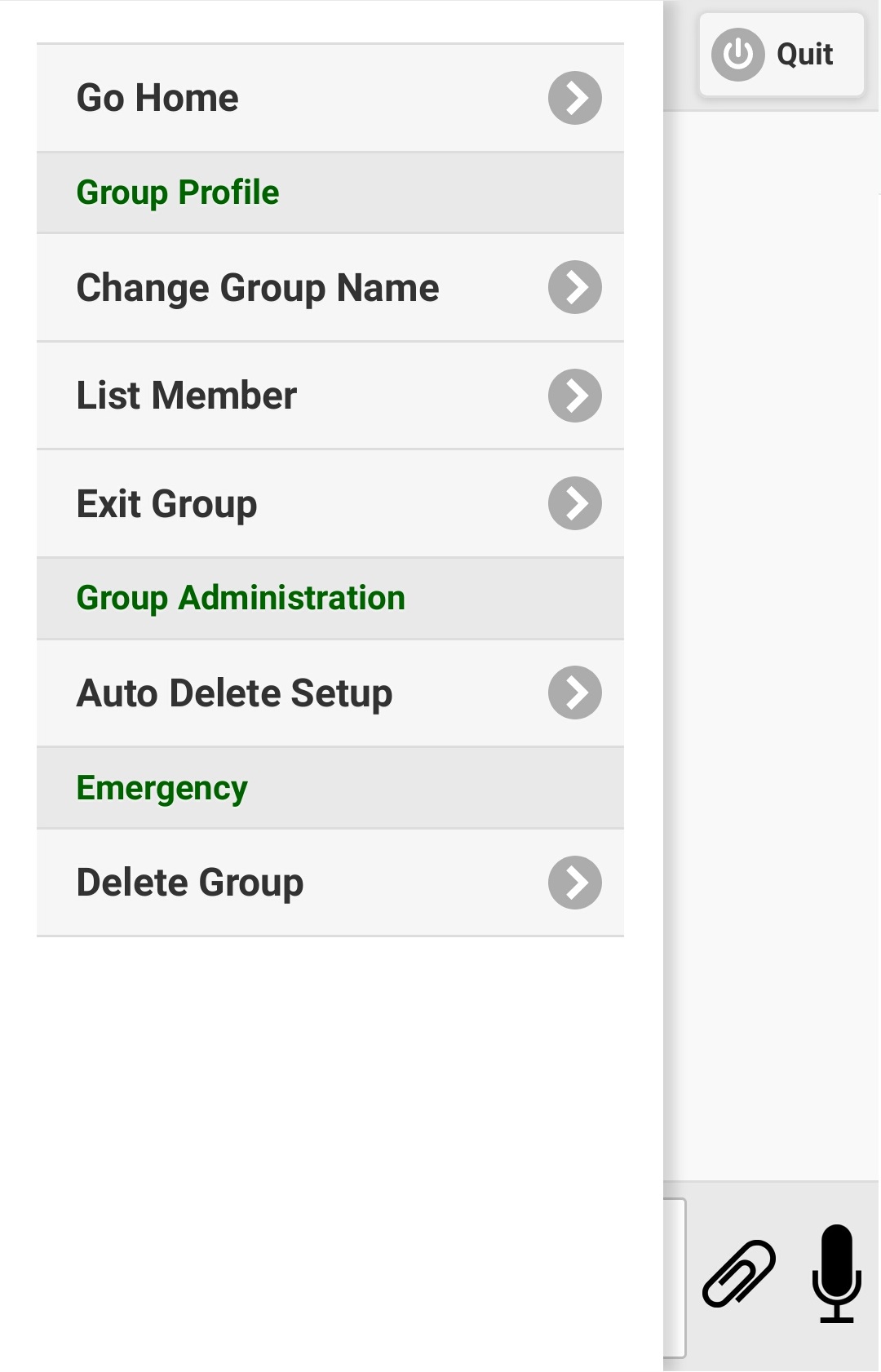
 

Figure 3.11.1
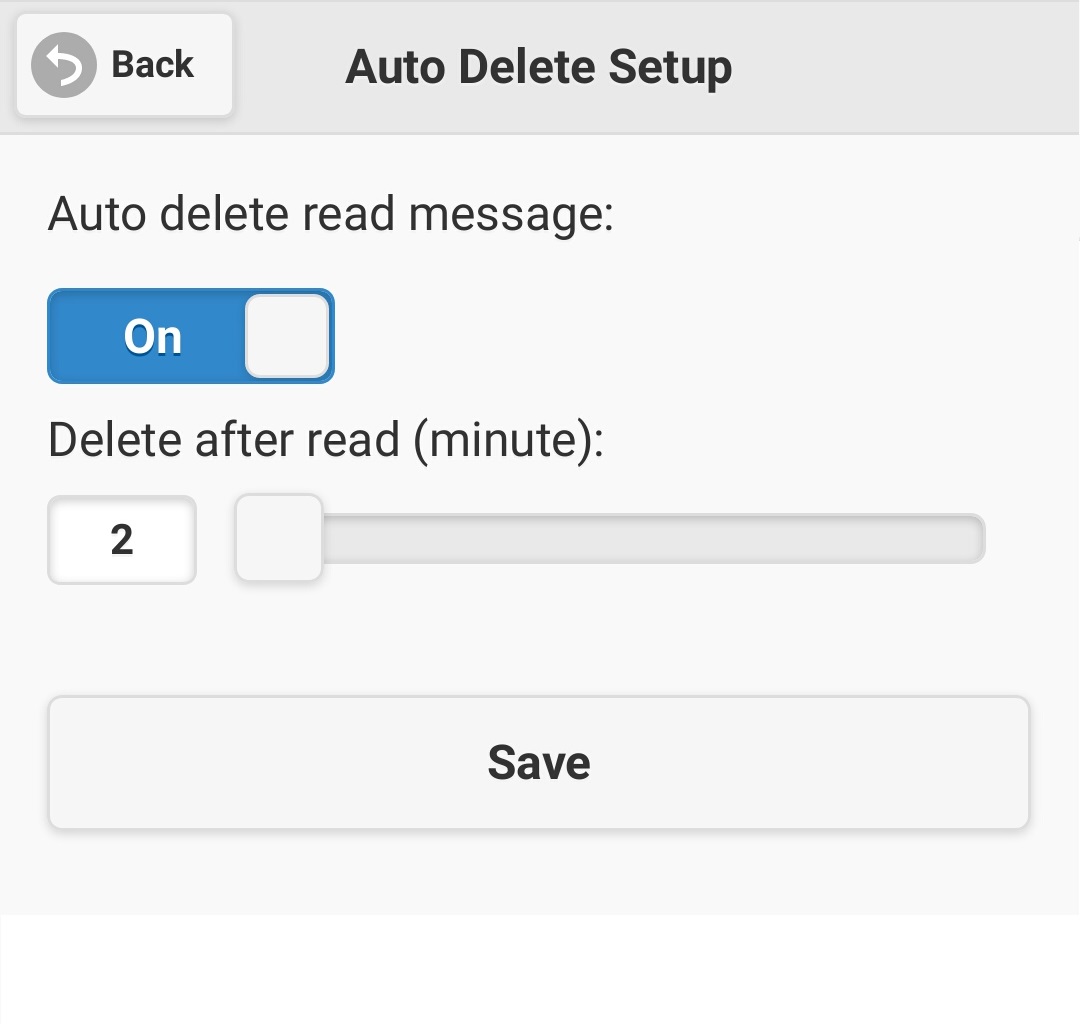
 

Figure 3.11.2
 
It will show the current settings of message deletion of the private group. If automatic message deletion has been turned on, you may turn it off, then 'delete after read (minute)' slide bar will be hidden. Conversely, If automatic message deletion has been turned off, you may turn it on, then 'delete after read (minute)' slide bar will be shown. You may change the message deletion period from 1 minute to 30 minutes.

Let me remind you once more, turning off 'Auto delete read message' doesn't mean the messages on your private group could be preserved forever until you delete them manually, it just passes control of your message deletion period to follow system setting 'old_msg_delete_days'. Please refer to section 3.2 'Add private message group' for details.