 |
 |
 |
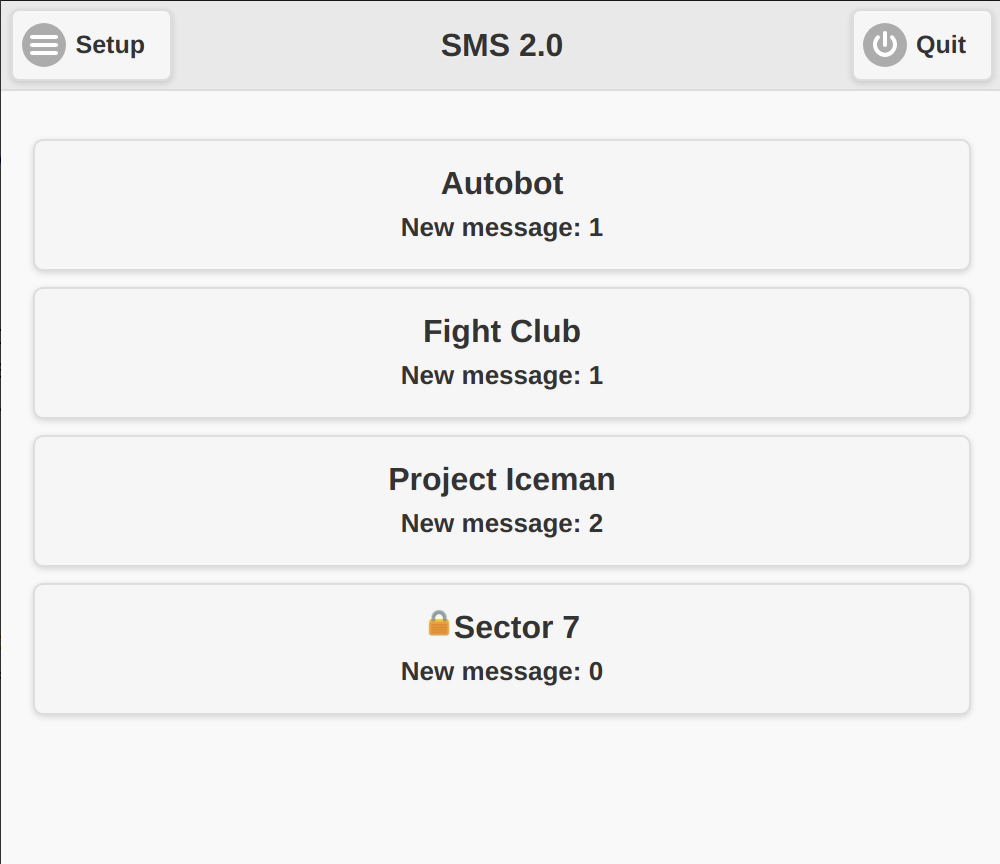
Figure 2.1.1
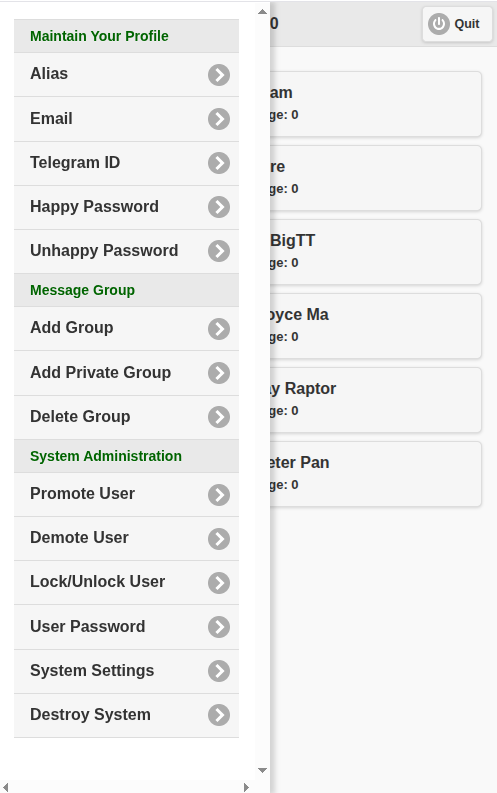
Figure 2.1.2
|
|
|
|
|||
| 2.1 Main Menu | |||
| When you are login to the SMS successfully, if you have already been member of at least one message group, your message group list will be displayed (like figure 2.1.1 shown). Otherwise, message group adding page will be shown for you to let you create your first message group. | |||
|
Figure 2.1.1 |
|||
| Click on 'Setup' button on right top corner, SMS main menu will be shown (figures 2.1.2). Please note that if you are common user or trusted user, only items 'Alias', 'Email', 'Telegram ID' (it will be shown if Telegram bot has already existed, see section 4.6.6 Telegram bot for details), 'Happy Password', 'Unhappy Password', 'Add Group' and 'Add Private Group' will be seen, the other items are exclusively used by SMS administrative users and will be hidden from common users and trusted users. | |||
|
Figure 2.1.2 |
|||
|