 |
 |
 |
First you must find out those user(s) you need to change his/her/their happy password. Just select item 'User Password' on main menu (figure 2.1.2), screen like figure 4.5.1 will be shown. You may input full or partial user name/user alias/email to filter out specified user(s), then click the "Next Page" button. Note: As the warning message in this screen shown, if you leave the user filtering input field blank, it may cause system unresponse or timeout in next step, if the active user list is too long.
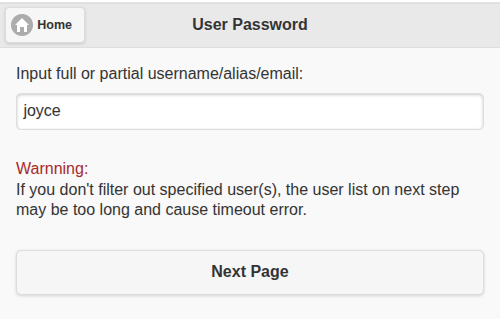
Figure 4.5.1
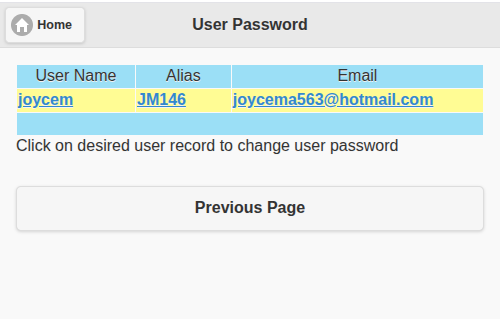
Figure 4.5.2
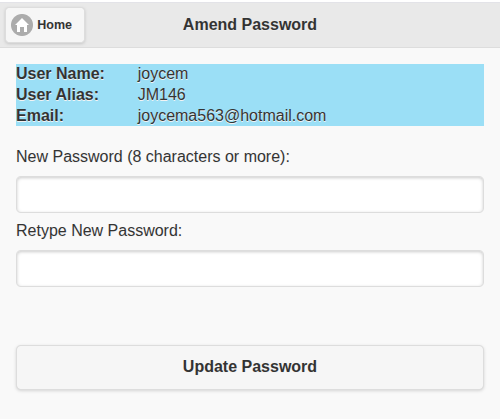
Figure 4.5.3
|
|
|