 |
 |
 |
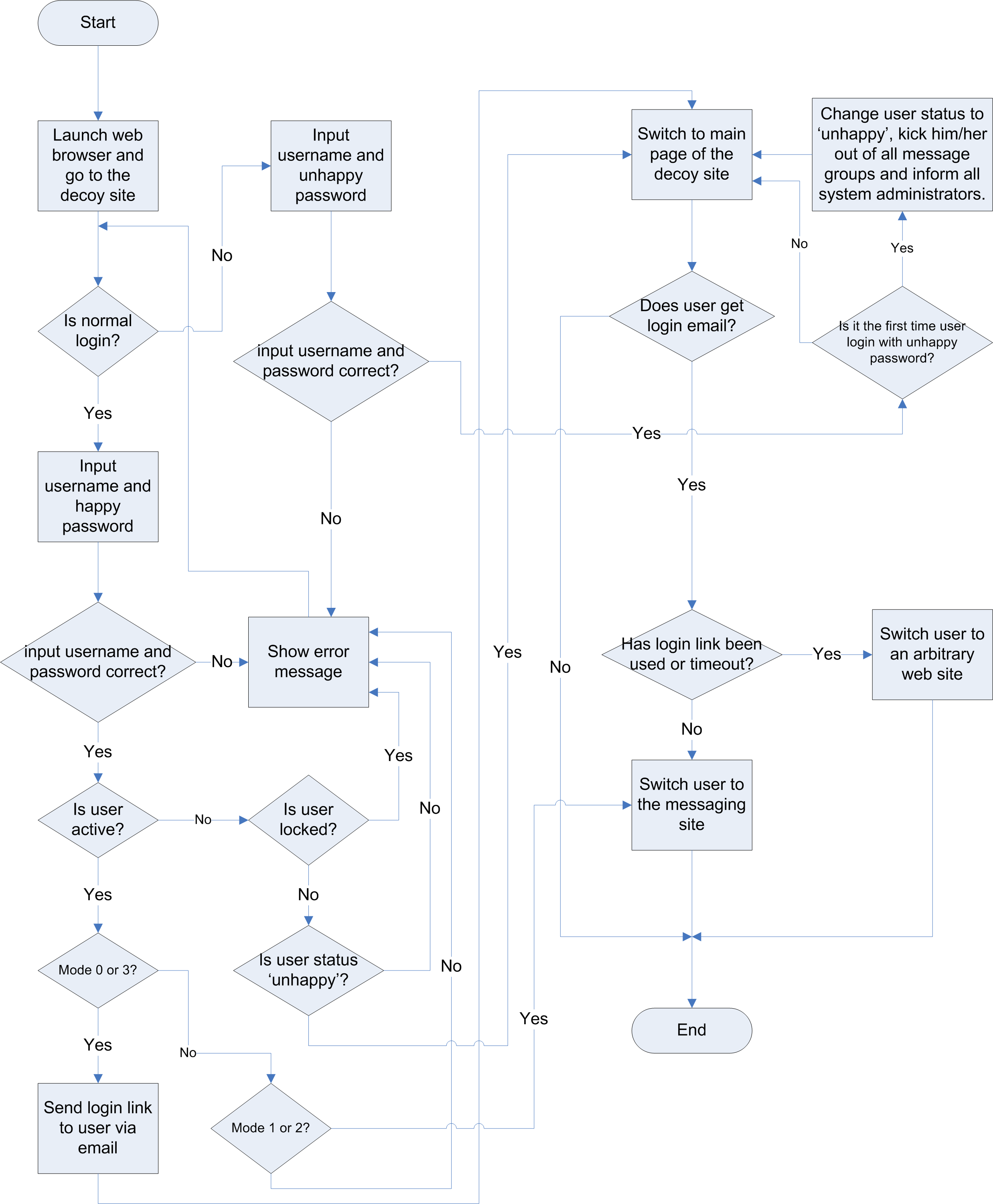
Figure 1.4.1
If connection mode is 0 or 3, users login from the decoy site with happy password, they will be switched to the first page of the decoy site. A email with messaging site access link will be sent to users (similar on figure 1.4.2), users use this access link to go to the messaging site directly. Please note that each access link is for one time usage, and it will be timeout after 10 minutes even it is not used.
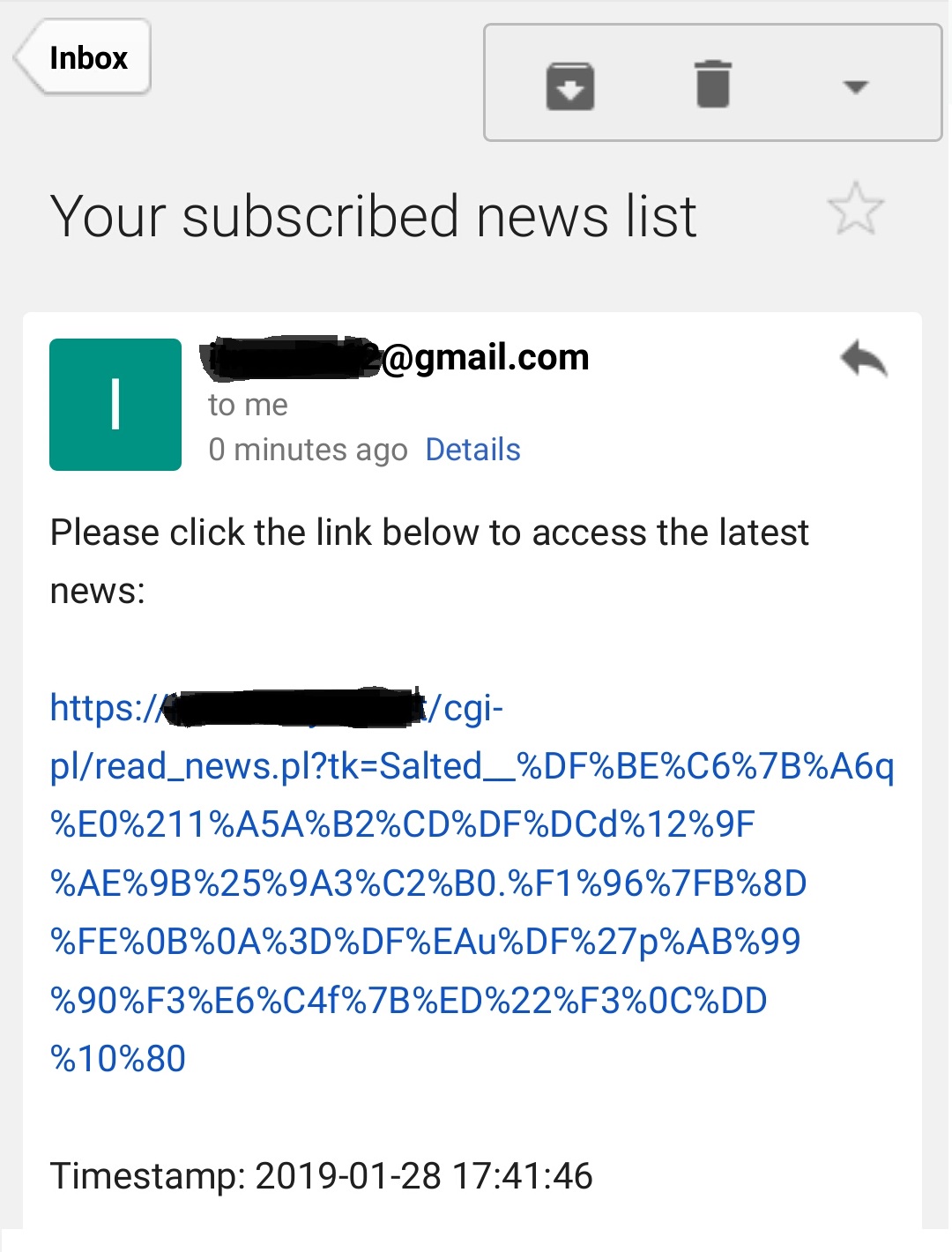
Figure 1.4.2
For connection mode 0 or 3, if user login from the decoy site with unhappy password, he/she will still be switched to the first page of the decoy site, but messaging site access email will not be sent to him/her anymore. For connection mode 1 or 2, user will be switched to the first page of the decoy site, not the messaging site.
The login process of different connection modes are summarized on Table 1.4.3:
| Mode | Login with happy password | Login with unhappy password |
| 0 | User is switched to decoy site, an email with a one time used access link is sent to user, user click on the access link to go to the messaging site. | User is switched to decoy site, no email will be sent to user. |
| 1 | User is switched to messaging site directly. | User is switched to decoy site. |
| 2 | User is switched to messaging site directly. | User is switched to decoy site. |
| 3 | User is switched to decoy site, an email with a one time used access link is sent to user, user click on the access link to go to the messaging site. | User is switched to decoy site, no email will be sent to user. |
| Table 1.4.3 | ||
| 1. | Once an user has marked 'unhappy', he/she can't go to messaging site anymore, even he/she login by using happy password again. |
| 2. | At the first time an user login with unhappy password, he/she will be kicked out from all message groups he/she belongs to, and all system administrators and related group members will be informed via email (connection mode 0, 2 or 3) or group message (connection mode 1). |
| 3. | Once an user has marked 'unhappy', his/her account status should not be changed. i.e. 'Unhappy' user account should not be used again. Otherwise, alert will not be triggered if he/she is 'unhappy' again. |
| 4. | If an 'unhappy' user is sole group administrator of one or some messsage groups, then a randomly selected system administrator will be added to that message group or those message groups as group administrator. |
|
|
|